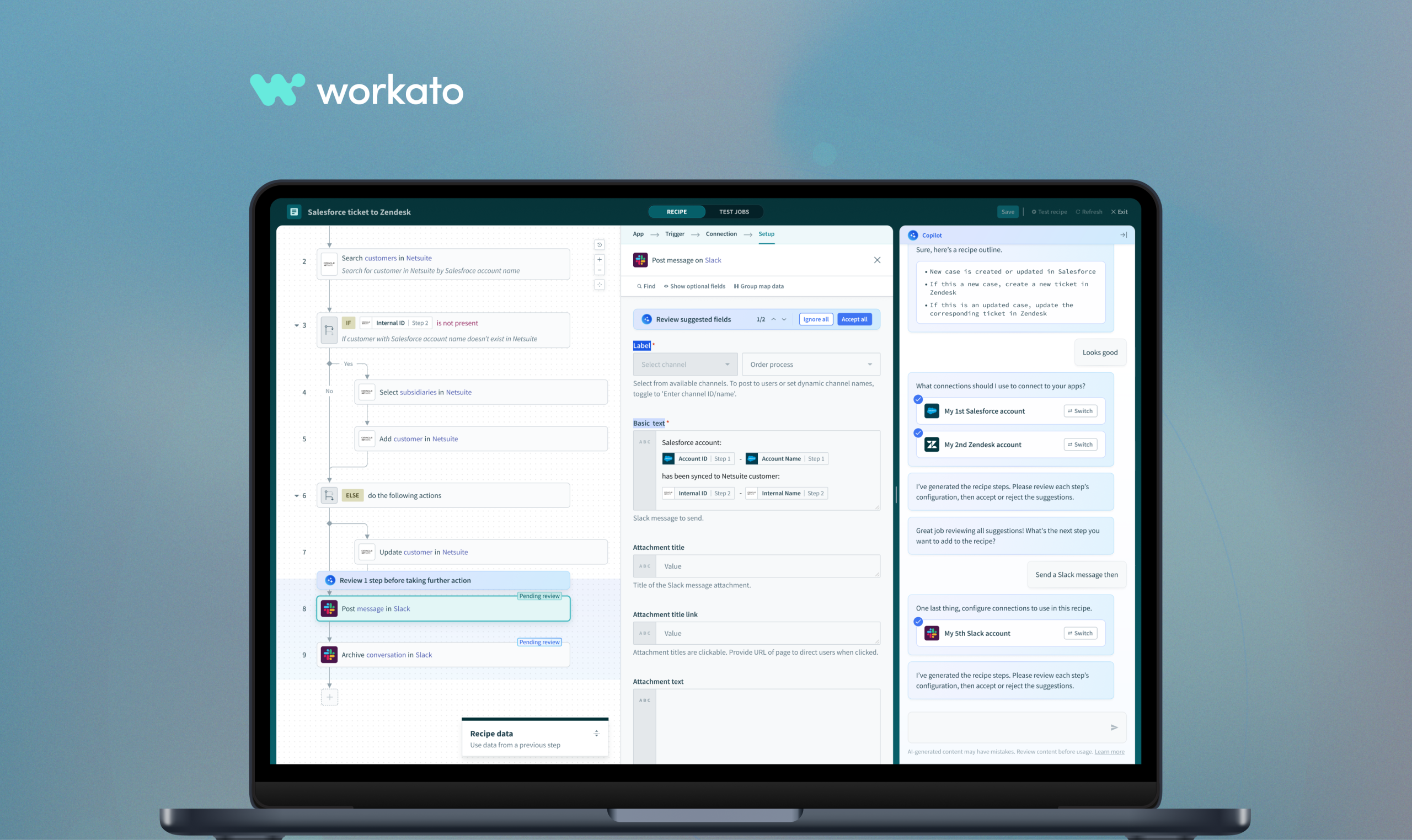
Workato Copilot is an AI-driven feature within the Workato platform that assists users in building and managing automation workflows more efficiently. Copilot uses generative AI to help users by providing recommendations, suggesting automation actions, and even generating parts of workflows based on natural language descriptions.
Automation professionals waste significant time on low-value, repetitive work: manually building automations from scratch, troubleshooting errors with limited guidance, and maintaining documentation and setup instructions, when they could be focused on strategic, high-impact work.
Despite automation platforms existing to simplify work, building automations remains technically challenging and inaccessible to many users. Without embedded AI guidance, users must rely on their own expertise to translate business goals into working automations, creating a steep learning curve, frequent errors, and slow execution that undermines the very purpose of automation.
As AI becomes central to how work gets done, automation platforms that fail to integrate intelligent assistance risk falling behind, leaving their users slower, more error-prone, and less innovative than they need to be. There is a clear opportunity to be the first automation platform to deeply embed AI into the user experience, making automation faster, smarter, and accessible to everyone, not just technical experts.
We recognized the importance of AI early on and set ambitious goals for ourselves.
Since our focus is automation, which is designed to eliminate tedious tasks and simplify
users lives, integrating AI was the natural next step in that journey.
Despite limited time and a tight deadline, we chose not to cut corners. Instead, we focused on delivering a solid MVP for the first release to demonstrate to both competitors and customers that we are the industry leader.
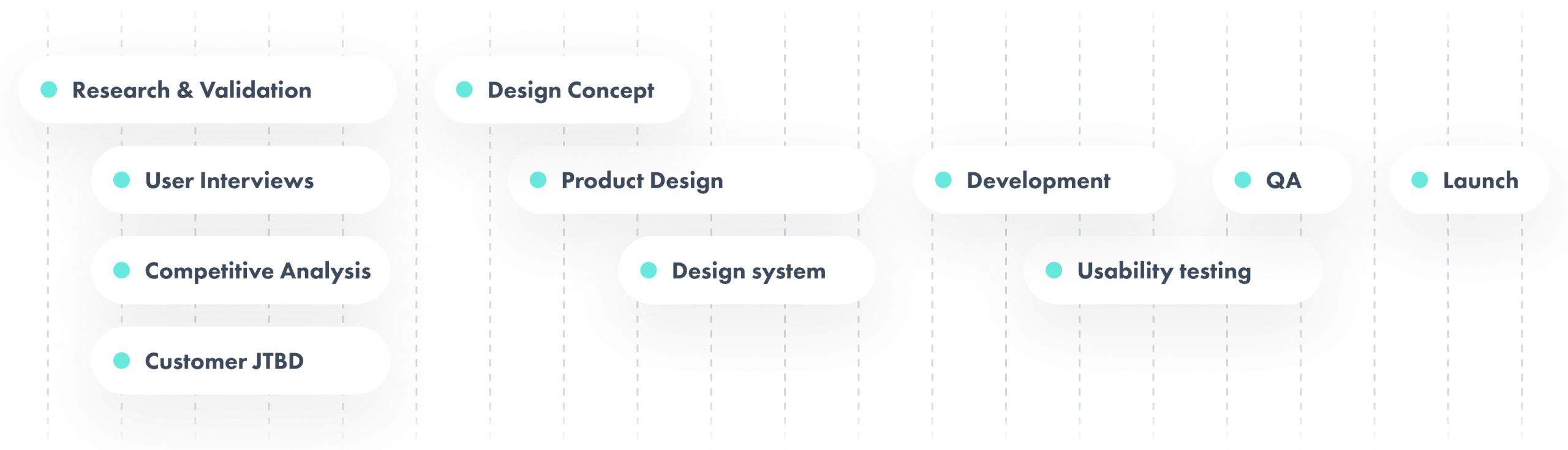
To ensure the Copilot was grounded in real user needs, we conducted 31 in-depth interviews with customers across a range of industries and roles. We spoke not only with automation builders but also with business owners to capture a broader perspective on how teams use and think about automation. Participants came from companies including Atlassian, Slack, Coupa, Box, Namely, Broadcom, and Grab. This holistic approach surfaced valuable insights and uncovered opportunities we had not originally anticipated. From the interviews, the research team identified four main jobs-to-be-done where AI could provide the most meaningful value.
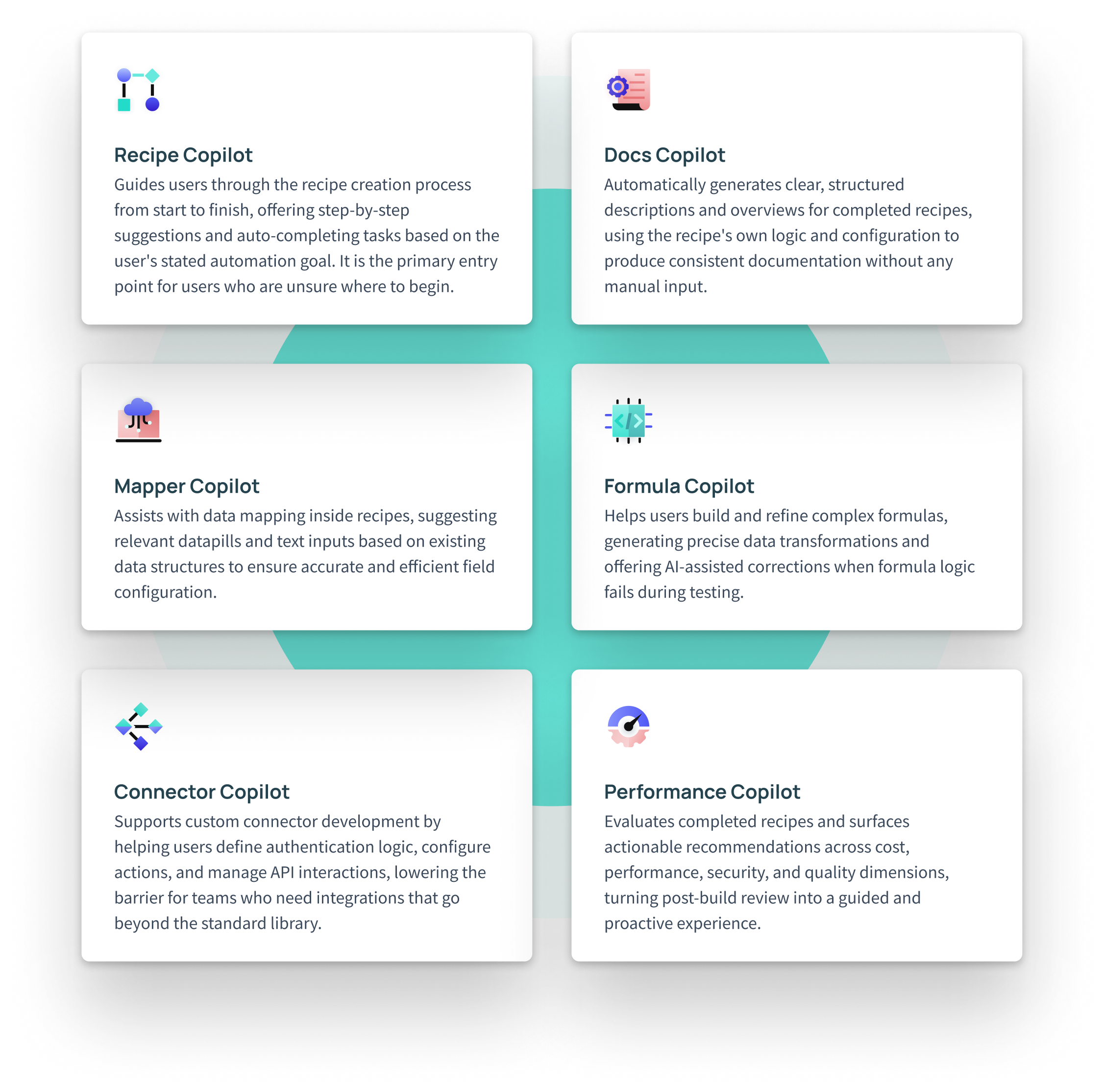
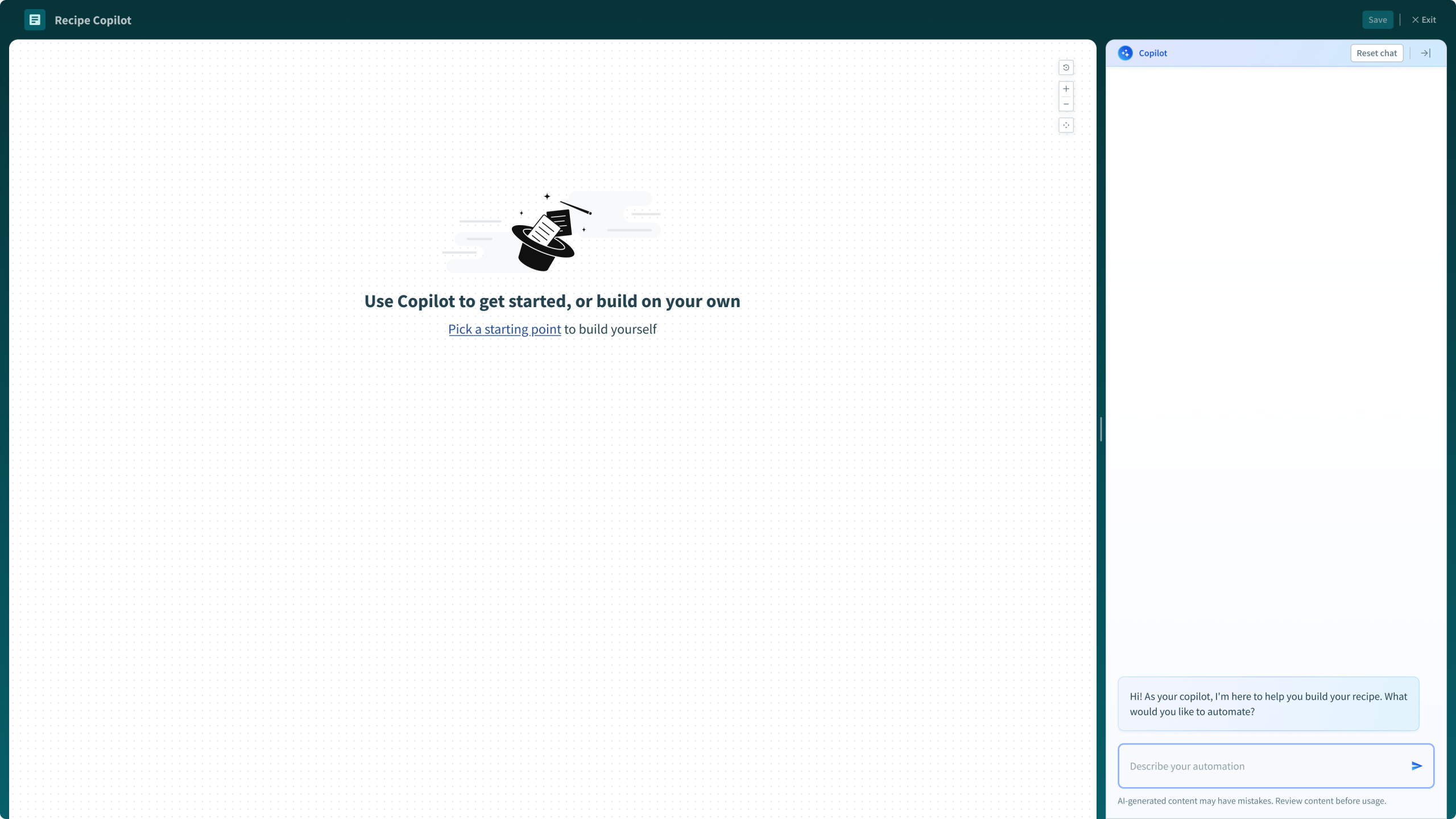
Many customers struggled to know where to begin. Whether starting a new automation from scratch or figuring out what to automate next, the lack of guidance created friction and slowed them down before they even got started.
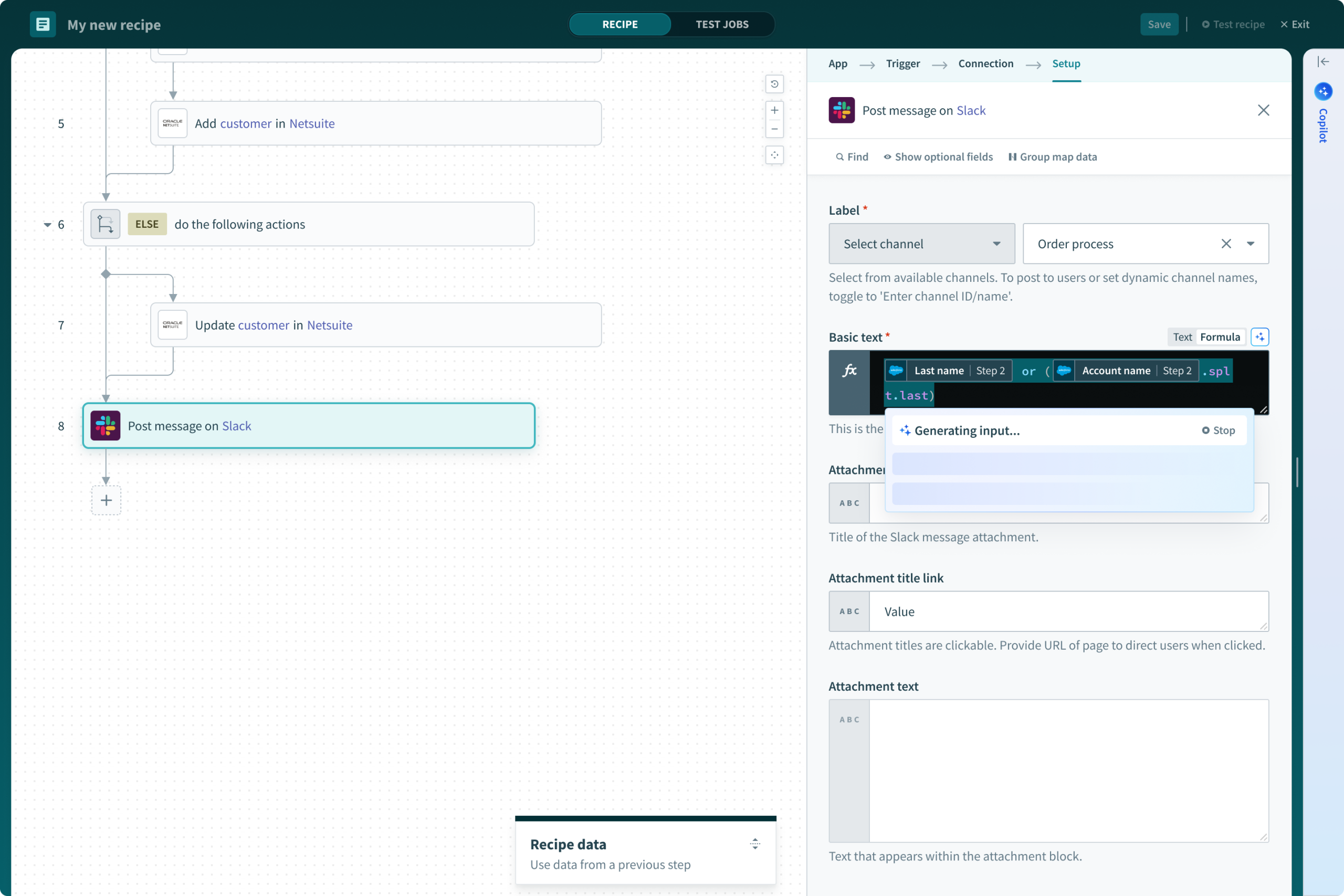
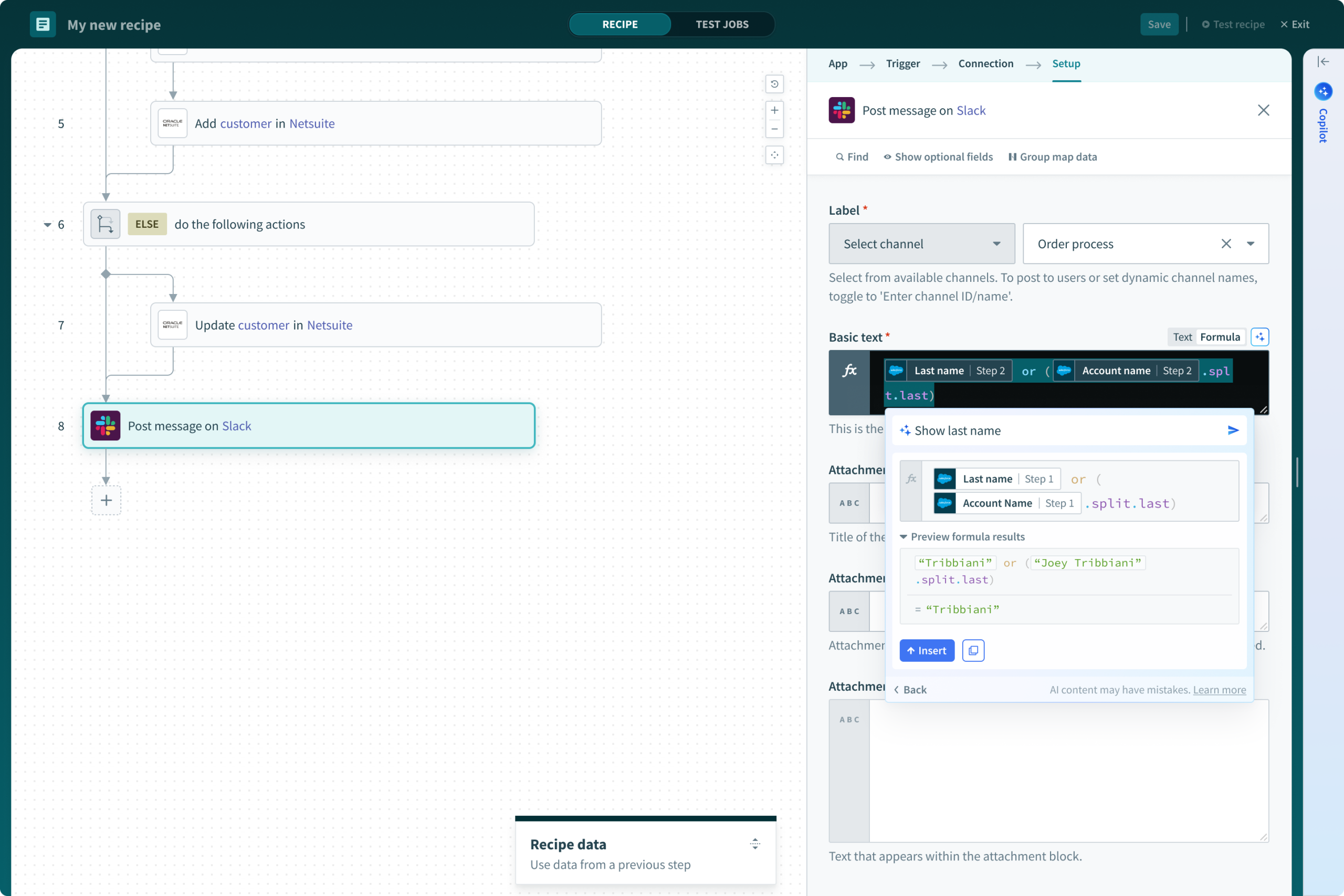
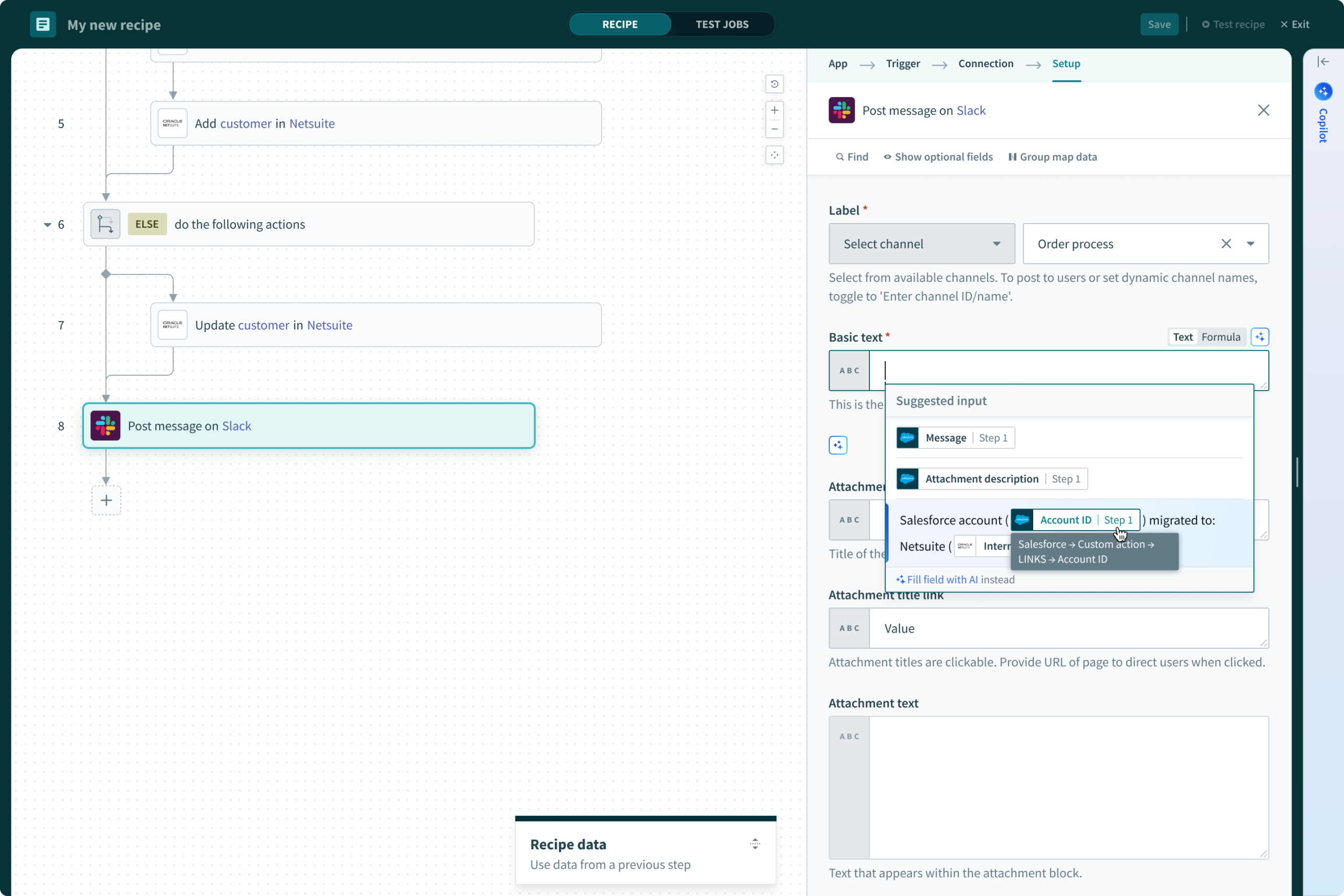
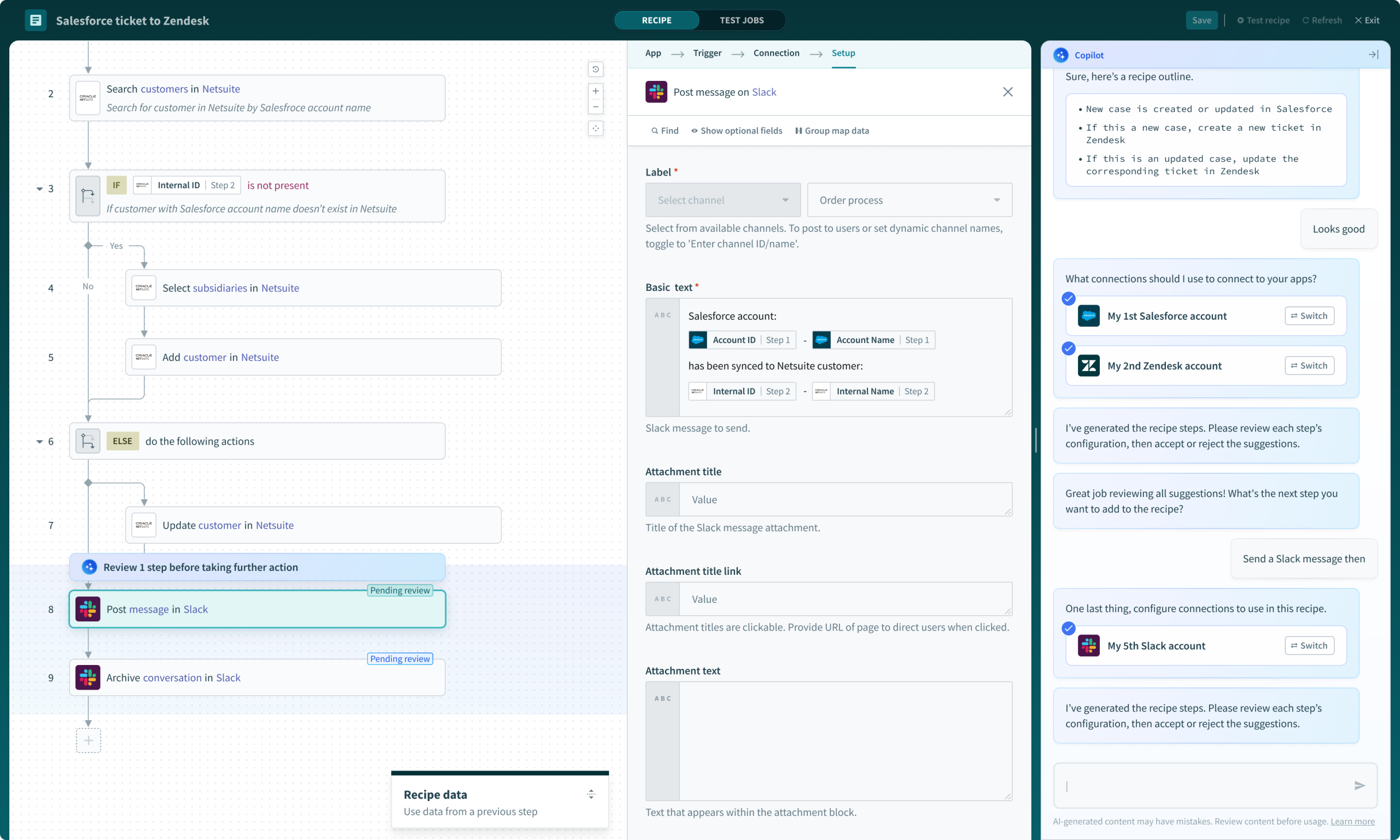
Even experienced users ran into challenges when constructing automations. Choosing the right actions, mapping the correct datapills, and resolving errors during test runs were recurring sources of frustration that interrupted the building process.
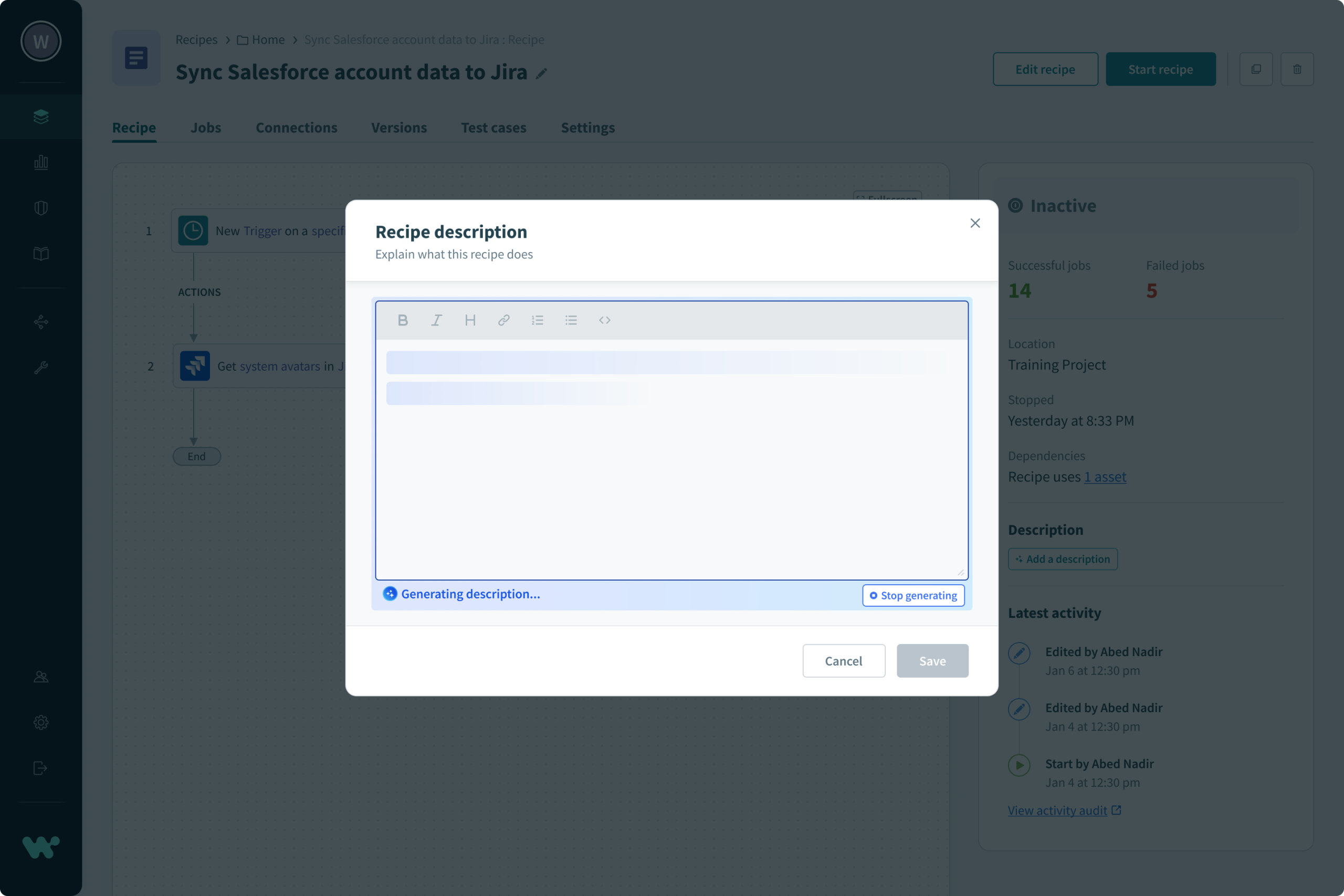
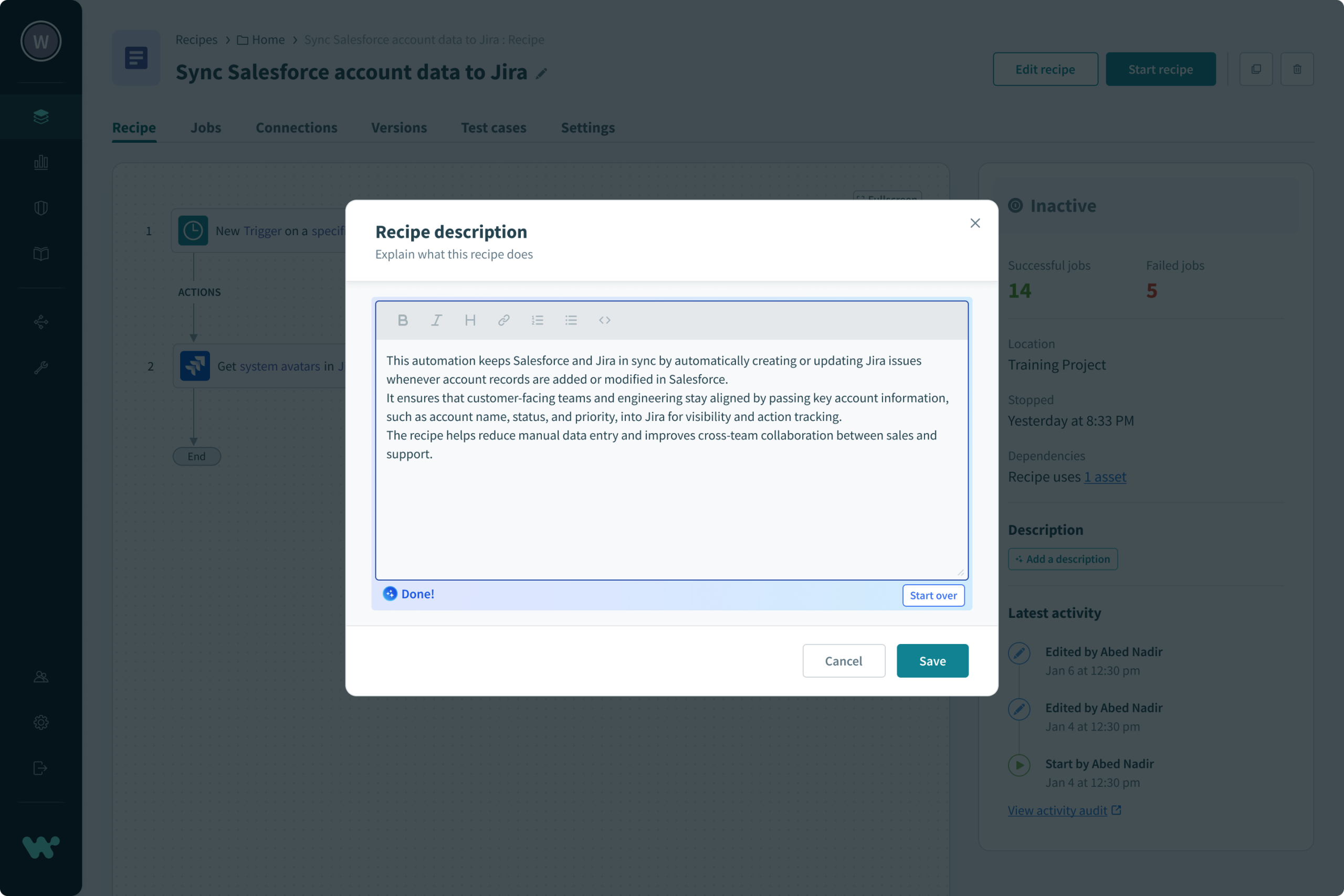
Once an automation was built and tested, users still faced the task of writing descriptions and setup instructions. Most found this tedious, but skipping it meant others on their team could not understand or maintain the recipe later.
We conducted multiple usability studies to validate the impact of Copilot on the automation building experience, including prompt interaction testing, contextual suggestion validation, error recovery studies, and documentation generation reviews. The results showed reduced time to first successful automation, fewer test run failures, and higher user confidence, particularly for users who previously struggled to get started or resolve errors independently.
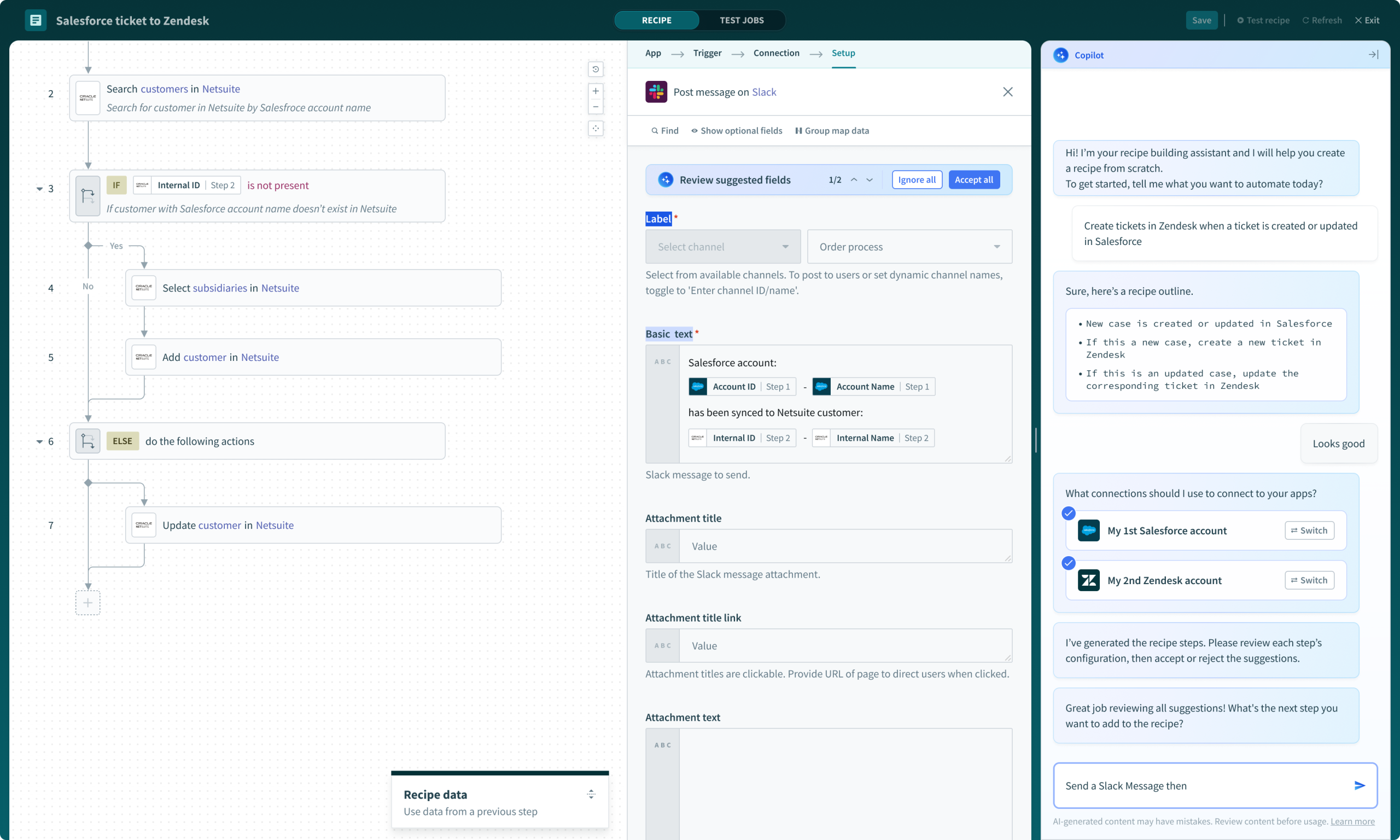
Validate whether users could effectively communicate their goals to Copilot using natural language, and whether the suggestions returned were relevant and actionable enough to move forward without additional guidance.
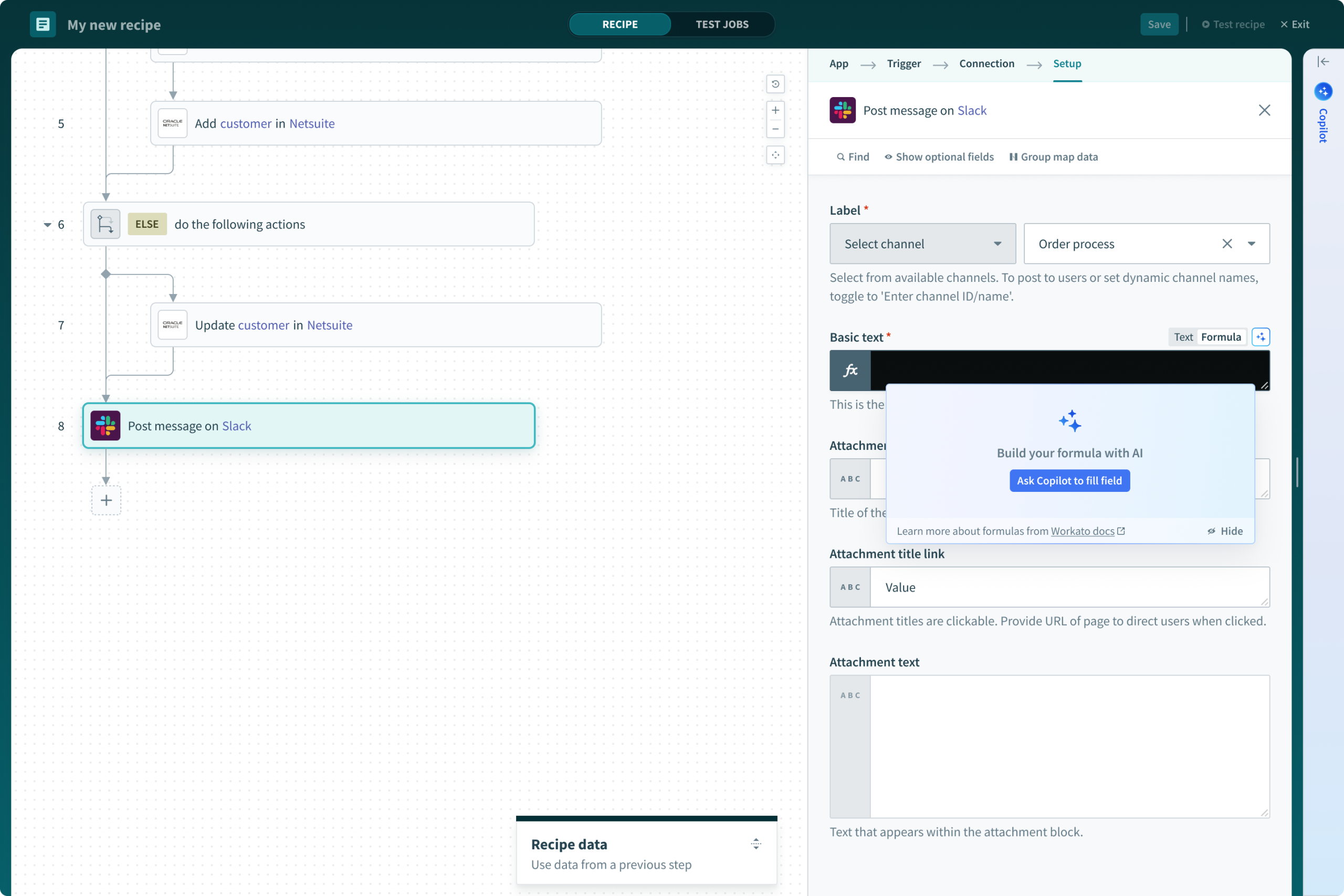
Test whether Copilot suggestions for datapills, actions, and field configurations felt intuitive and well-timed, and whether they aligned with what users were already trying to accomplish at each step of the recipe.
Evaluate whether Copilot assistance during failed test runs helped users identify and resolve issues faster compared to troubleshooting without AI support, and whether it reduced the number of iterations needed before a successful run.
Understand whether auto-generated recipe descriptions were accurate and clear enough for users to trust and publish without editing, and whether this meaningfully reduced the effort required after completing a build.
Rather than a single general-purpose AI tool, Workato Copilot was designed as a suite of specialized assistants, each targeting a distinct moment of friction in the automation workflow.
We avoided overwhelming users with AI everywhere. Copilot surfaces at the moments of highest friction: the empty start state, mid-build configuration, test failures, and post-build documentation. This made the feature feel helpful rather than intrusive.
Early explorations considered a standalone AI panel, but usability testing made clear that users engaged far more when Copilot appeared inline, contextually, exactly where they were working. The more it felt like a native part of the recipe editor rather than a separate tool, the higher the engagement.


Given enterprise concerns around AI trust, we built in explainability from the start, showing users why a suggestion was made and giving them control to opt in or out at both the workspace and recipe level.


72% of active builders engaged with Copilot during recipe creation
38% of recipes were created using Copilot idea suggestions
51% reduction in test run iterations before a successful result
60% reduction in formula issues (from 28% to 11%)
83% of recipes received auto-generated descriptions
12 minutes saved per user on documentation on average
The biggest learning was how much the placement of AI mattered. Users did not just want a capable assistant, they wanted one that appeared at the right moment, in the right context, without breaking their flow. A Copilot embedded in the recipe editor outperformed every standalone concept we tested.
We also learned that reducing errors during testing had a compounding effect. Fewer failed runs meant less frustration, faster iteration, and greater willingness to try new automation ideas. The confidence boost was as valuable as the time saved.
Finally, documentation turned out to be the feature users were most grateful for, even though it was the one we debated cutting to reduce scope. The 83% adoption rate confirmed that users would embrace automation of tasks they genuinely disliked, as long as the output was trustworthy.