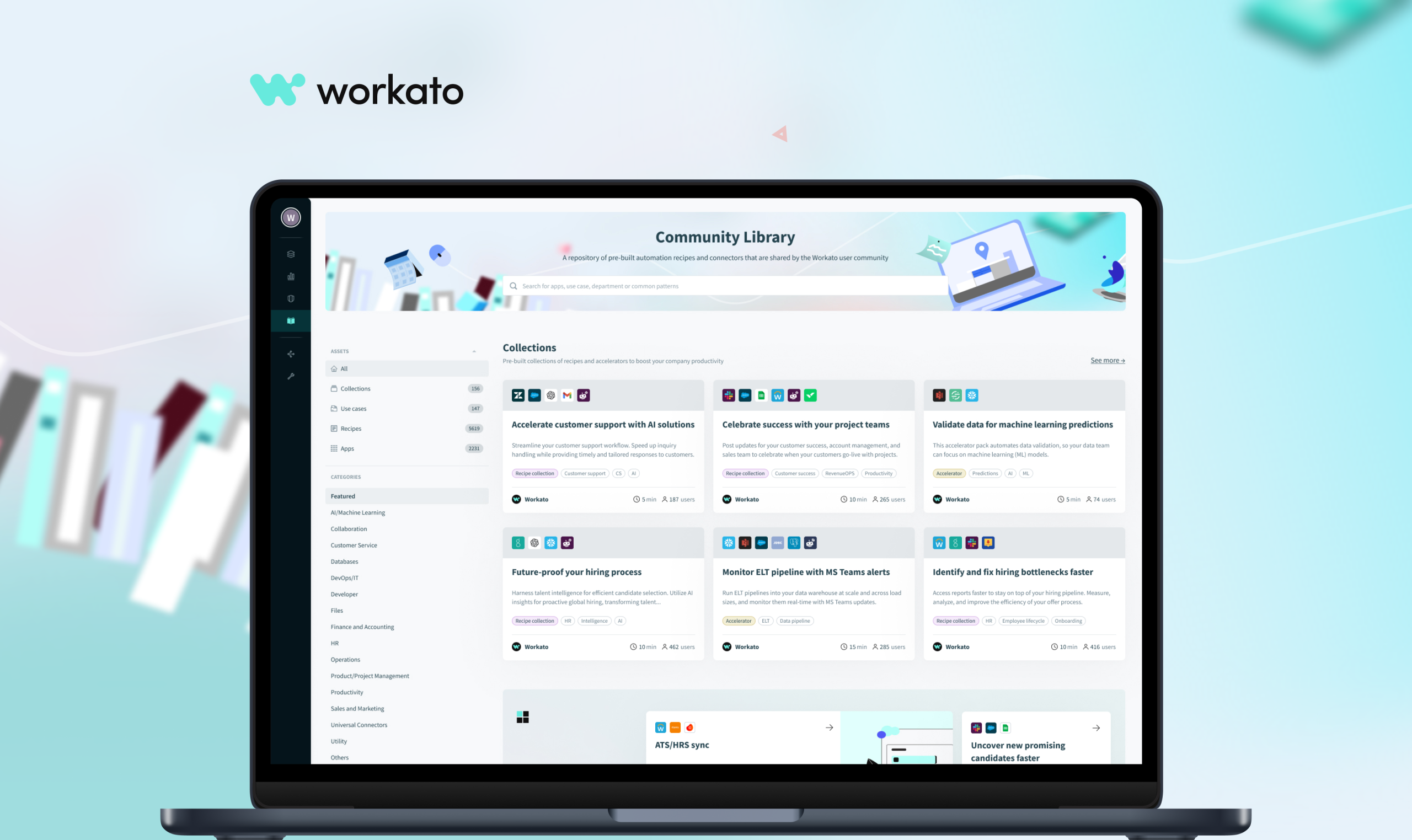
Community Library

About the project

Line 1

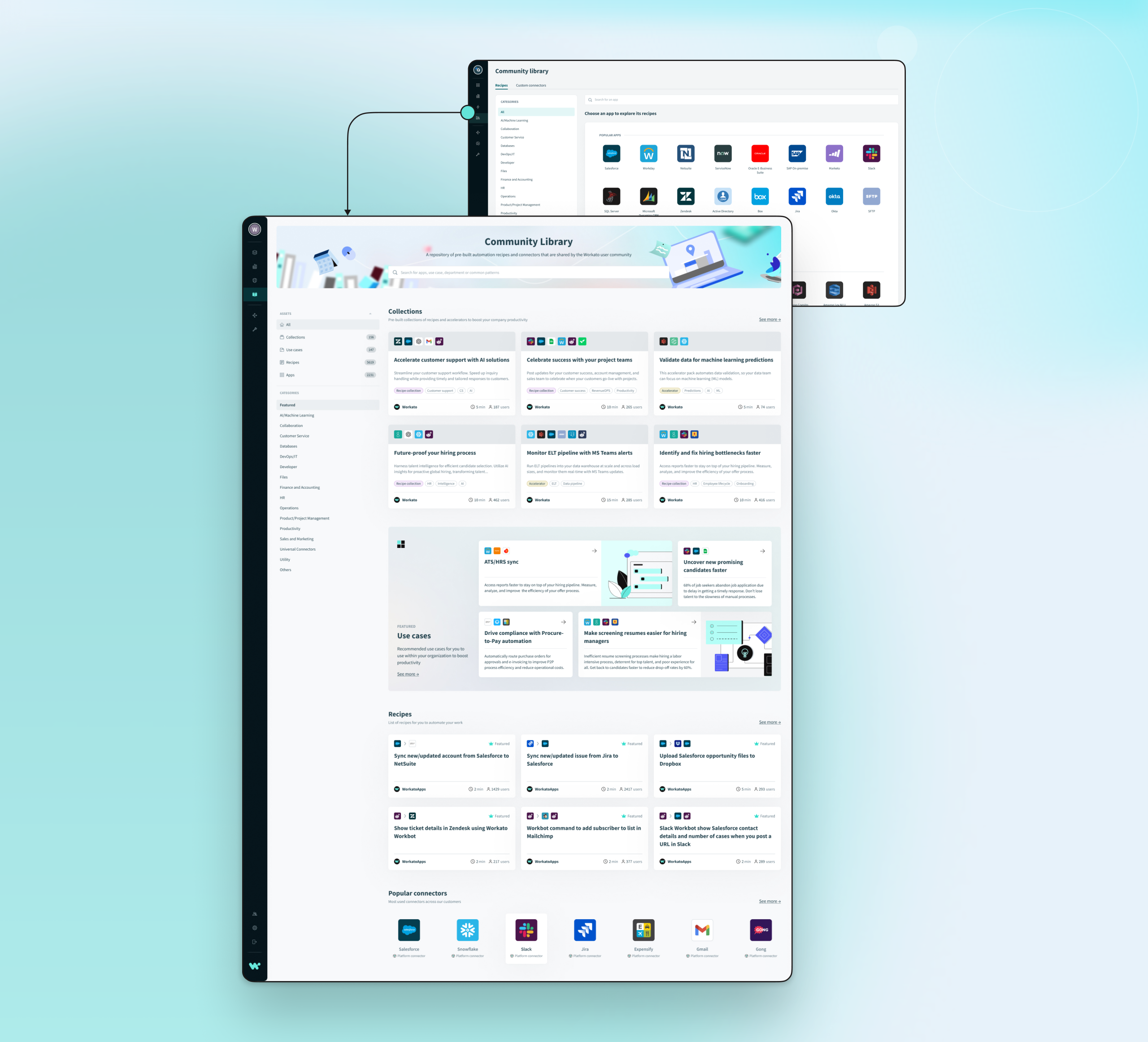
The Workato Community Library is a repository of pre-built automation recipes and connectors that are shared by the Workato user community. Workato is a leading enterprise automation platform that allows users to integrate apps and automate workflows across various systems without requiring extensive coding.

Problem

Line 1

Many existing customers were dissatisfied with the user experience of the old community library, where they had to start by selecting an app. Our research revealed that customers preferred to explore possible solutions first, without being forced to choose an app upfront. This approach allows them to discover automation ideas simply by browsing the library content.

Goal

  • Enable customers to explore automation ideas without committing to an app first

  • Support exploratory browsing rather than decision-driven navigation

  • Encourage longer browsing sessions

  • Increase content discovery and reuse of existing automations

  • Reflect how users think about automation (by problem, use case, outcome)

  • Address dissatisfaction with the previous UX

  • Deliver a browsing experience that feels intuitive, flexible, and inspiring

Responsibilities

  • Analyze qualitative feedback to identify pain points in the existing flow

  • Validate user preference for solution-first exploration

  • Define key user journeys for exploratory vs. goal-driven users

  • Redesign the library structure to support browsing by use case, category, or outcome

  • Define new content groupings and navigation models

  • Design entry points that encourage free exploration

  • Test the new structure with real users

  • Measure improvements in discoverability and ease of use

Research

Line 1

To understand the root cause of low engagement and dissatisfaction with the existing community library, we conducted a qualitative research phase focused on how customers discovered and evaluated automation content. We analyzed user feedback, reviewed support tickets, and observed real usage patterns to identify friction points in the current experience.

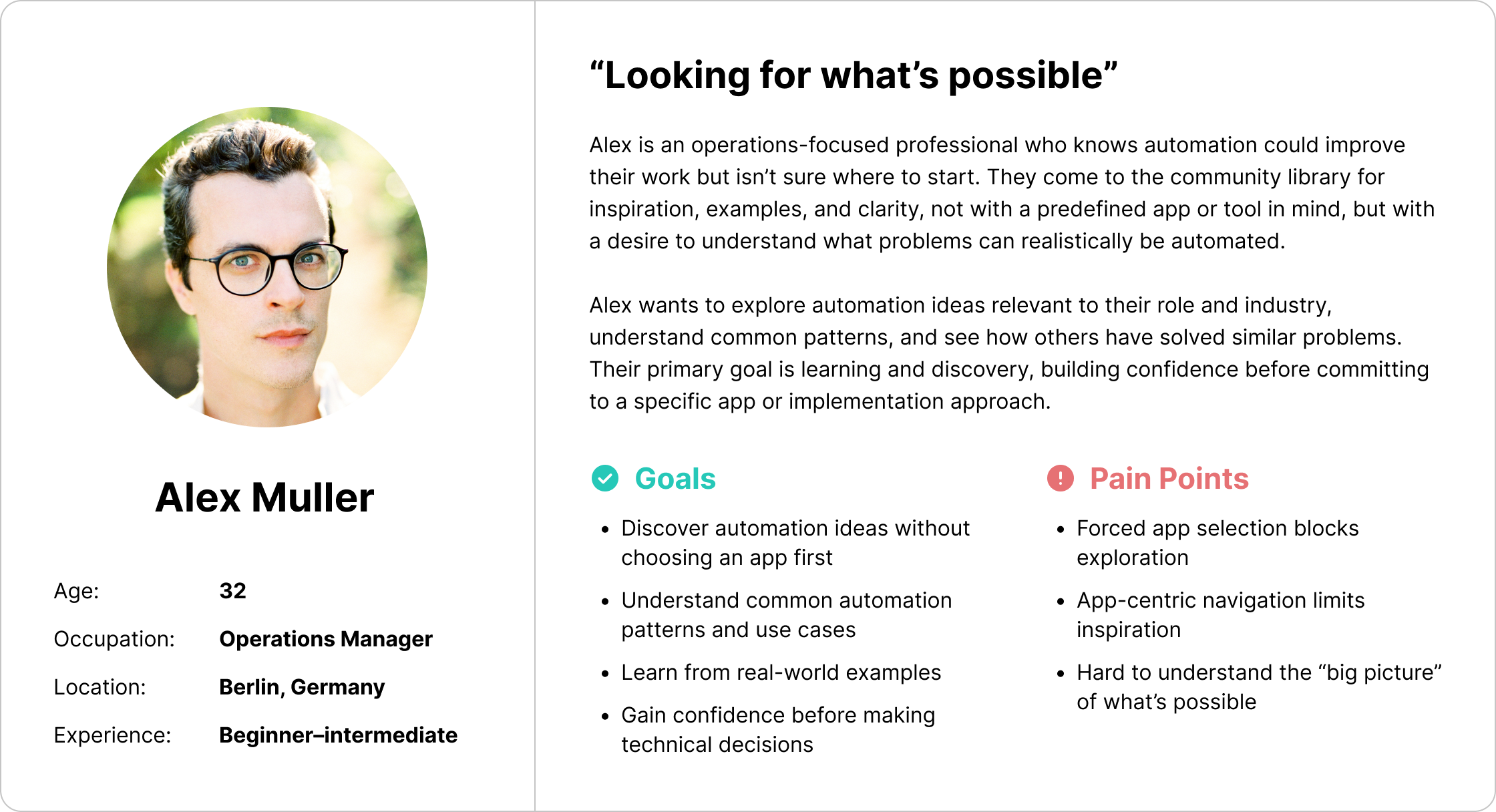
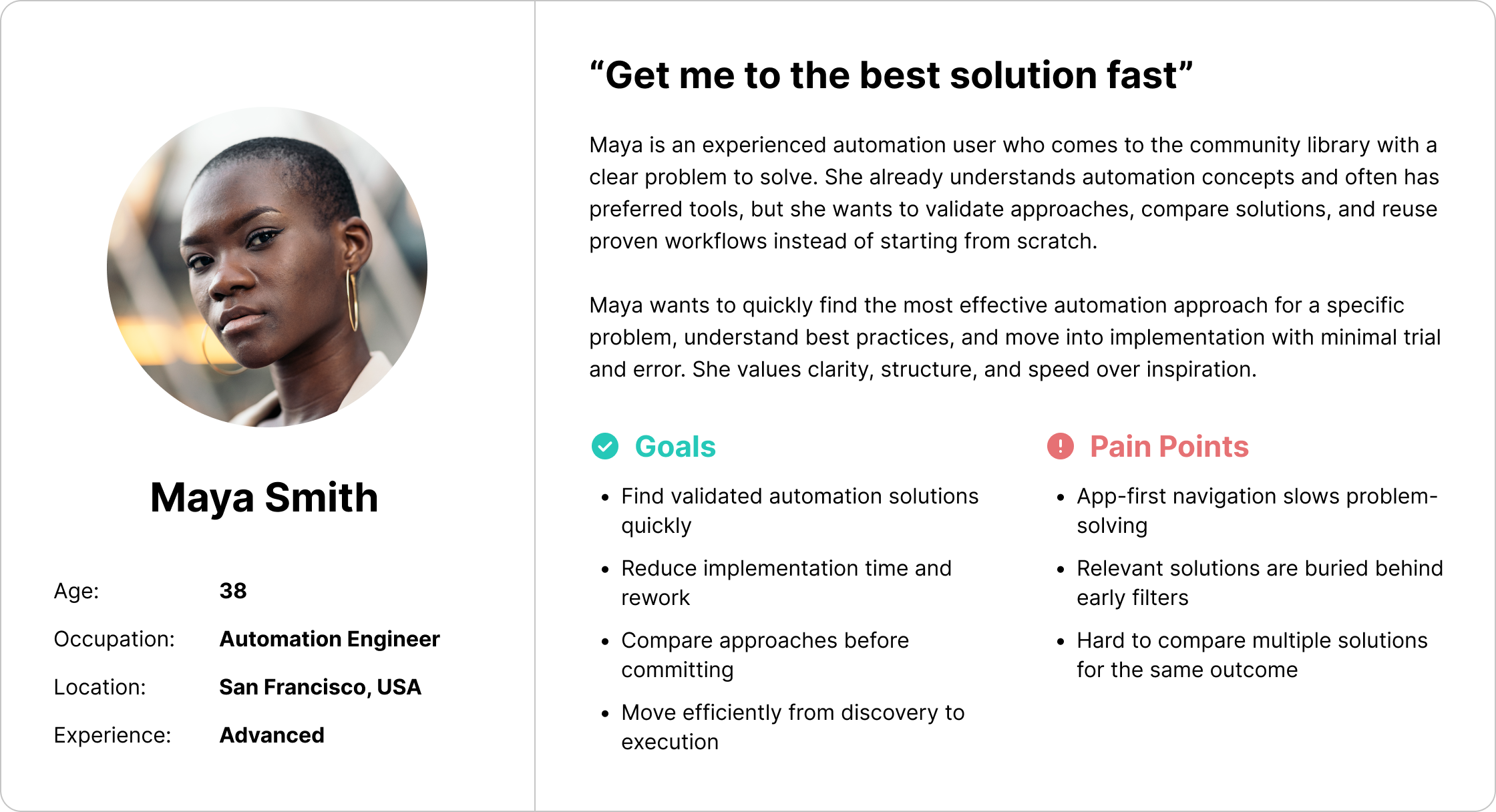
The research revealed a consistent pain point: users were required to select an app before they could browse the library, even when they were still exploring ideas or unsure about the best solution. This forced decision created unnecessary cognitive load and often blocked discovery altogether. Many users expressed that they didn’t start their automation journey with a specific app in mind, but rather with a problem they wanted to solve.

We also identified a mismatch between the library’s structure and users’ mental models. While the product was organized around apps, users naturally thought in terms of outcomes, workflows, and automation possibilities. Customers wanted to scan examples, get inspired, and understand what was possible before committing to a technical direction.

These insights led us to reframe the core design challenge: the library needed to support solution-first exploration instead of app-first navigation. The research findings directly informed the information architecture and UX strategy, ensuring that the redesigned experience aligned with how users actually think, explore, and make decisions.

Pain Points

Line 1

1.

Forced early decision blocked exploration

Users were required to select an app before they could browse the community library. Research showed that most customers did not start with a specific app in mind, which made this requirement feel artificial and restrictive. As a result, users often abandoned the exploration flow before discovering relevant automation ideas.

2.

Mismatch between library structure and user mental models

The library was organized around apps, while users thought in terms of problems, workflows, and outcomes. This misalignment made it difficult for users to understand what was possible and how different automations could solve their real-world needs.

3.

High cognitive load during the discovery phase

The initial experience demanded too many decisions too early, increasing cognitive effort at a stage where users expected inspiration and learning. Instead of feeling guided, users felt pressured to make technical choices without sufficient context, which negatively impacted engagement and satisfaction.

User personas

Line 1

Usability Studies

Line 1

We conducted multiple usability studies to validate the shift from app-first to solution-first discovery, including discovery flow testing, information architecture validation, comparative usability testing, and confidence-based decision studies. The results showed reduced cognitive load, faster time to value, and higher user confidence, particularly for early-stage users exploring automation ideas.

1.

Discovery Flow

Validate whether users can successfully explore automation ideas without being forced to select an app upfront, and whether this improves clarity and confidence during discovery.

2.

Information Architecture

Test whether a solution-first structure aligns better with users’ mental models than the previous app-centric structure.

3.

Old vs new library experience

Evaluate whether the redesigned library improves usability compared to the previous app-first flow.

4.

Confidence & Decision-Making

Understand whether reducing early decisions improves user confidence and readiness to move forward with automation.

New Homepage

Line 1

The homepage was completely redesigned from the ground up, introducing a new Featured category to highlight relevant and recommended assets tailored to each user based on their existing automations.

Improved search

Line 1

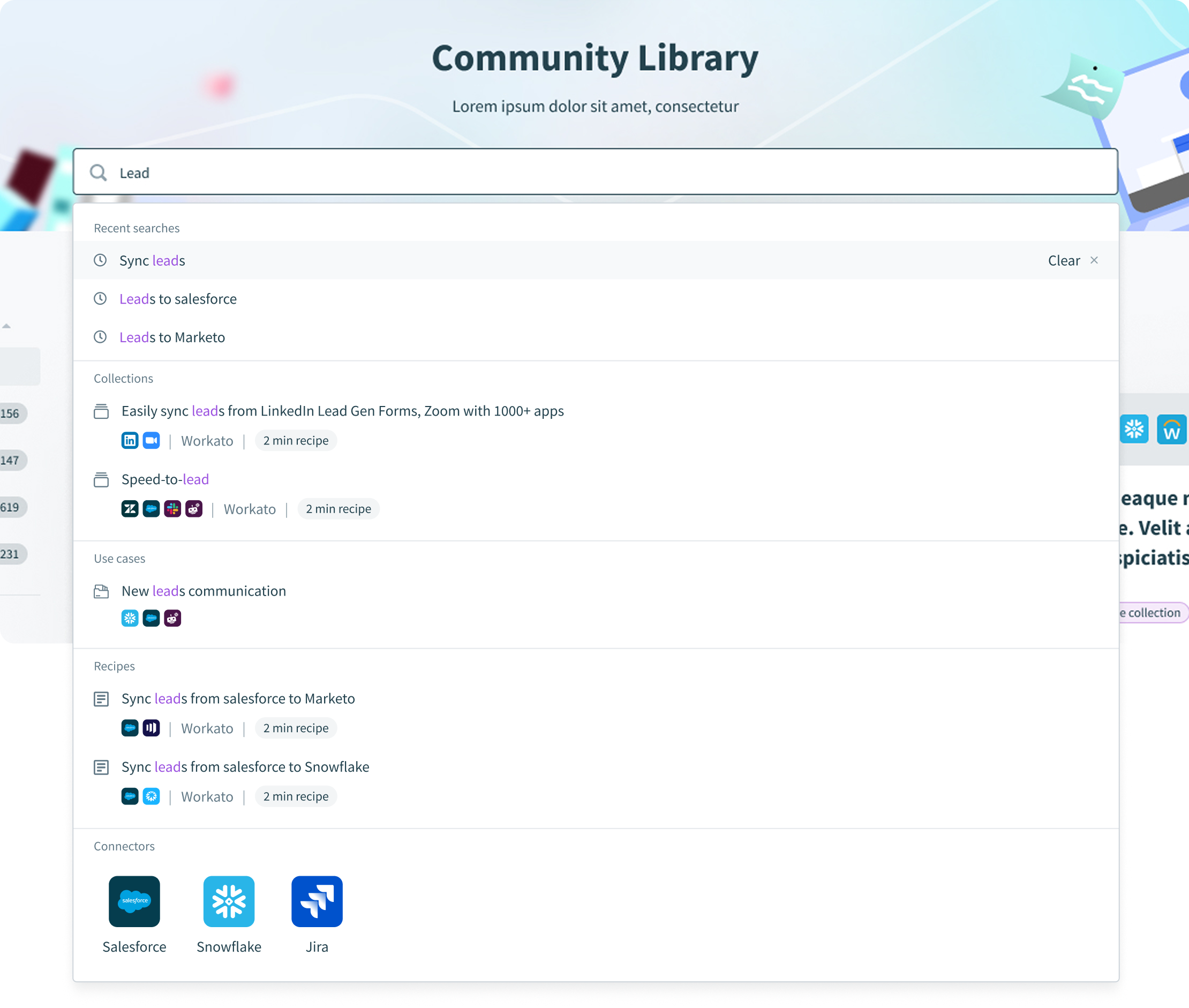
The new powerful search can now find not only recipes but also other assets that match the search request, such as recipe collections, use cases, recipes and connectors

Search

Personalized Use Cases

Line 1

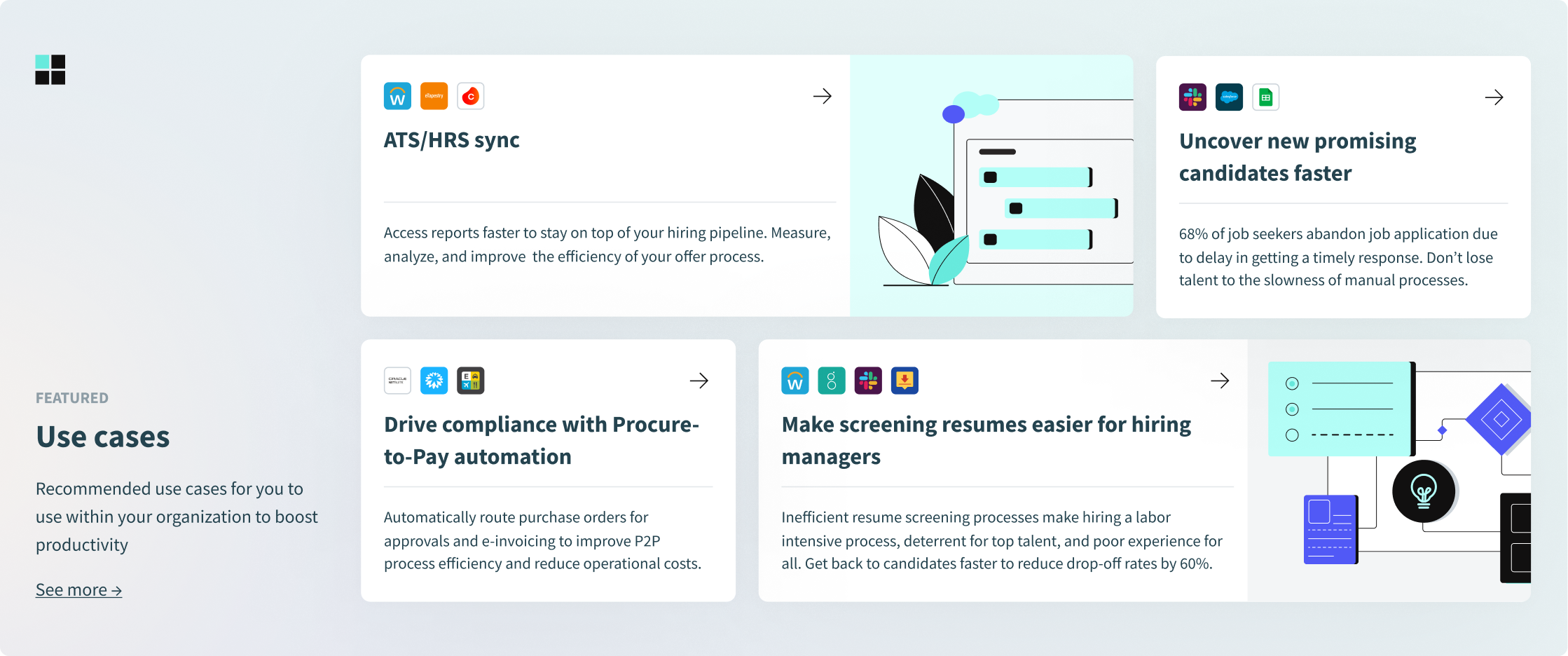
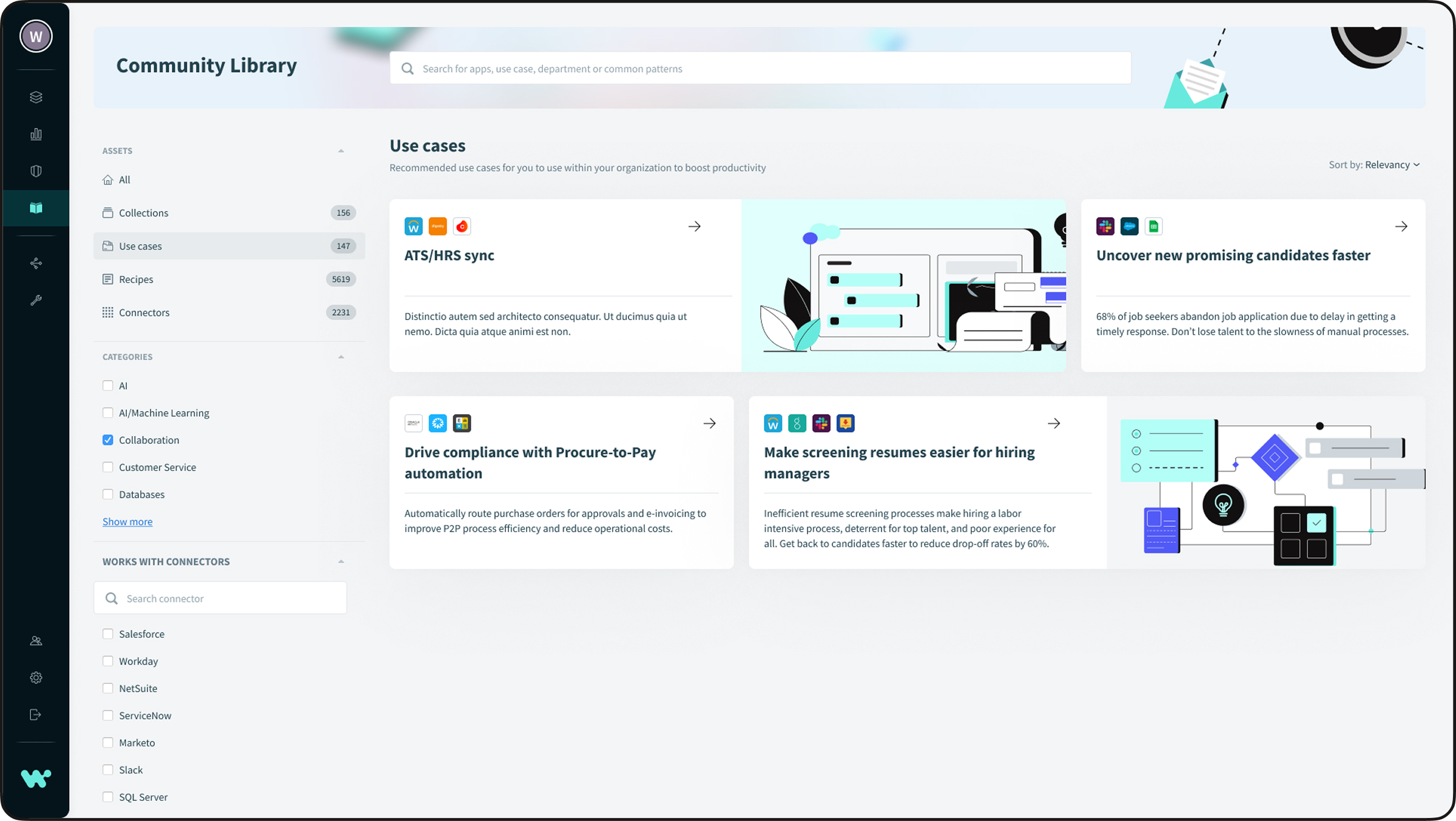
The Use Case section was designed to showcase potential automation solutions that customers can implement within their organization. Unlike Collections and Recipes, which highlight existing automation ideas, the goal of Use Cases is to inspire users by showing additional processes they can automate.

Use cases

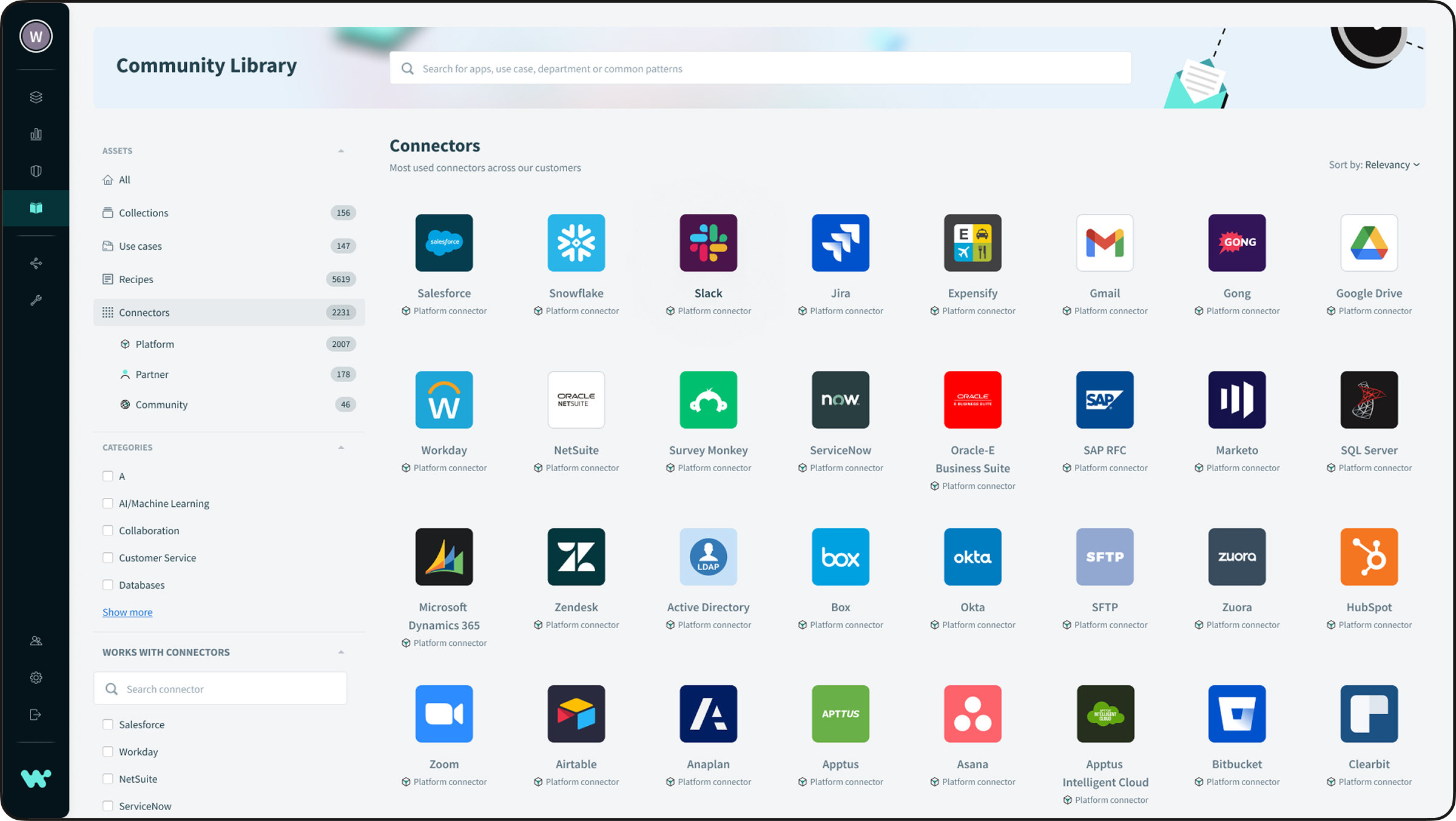
Asset categories

Line 1

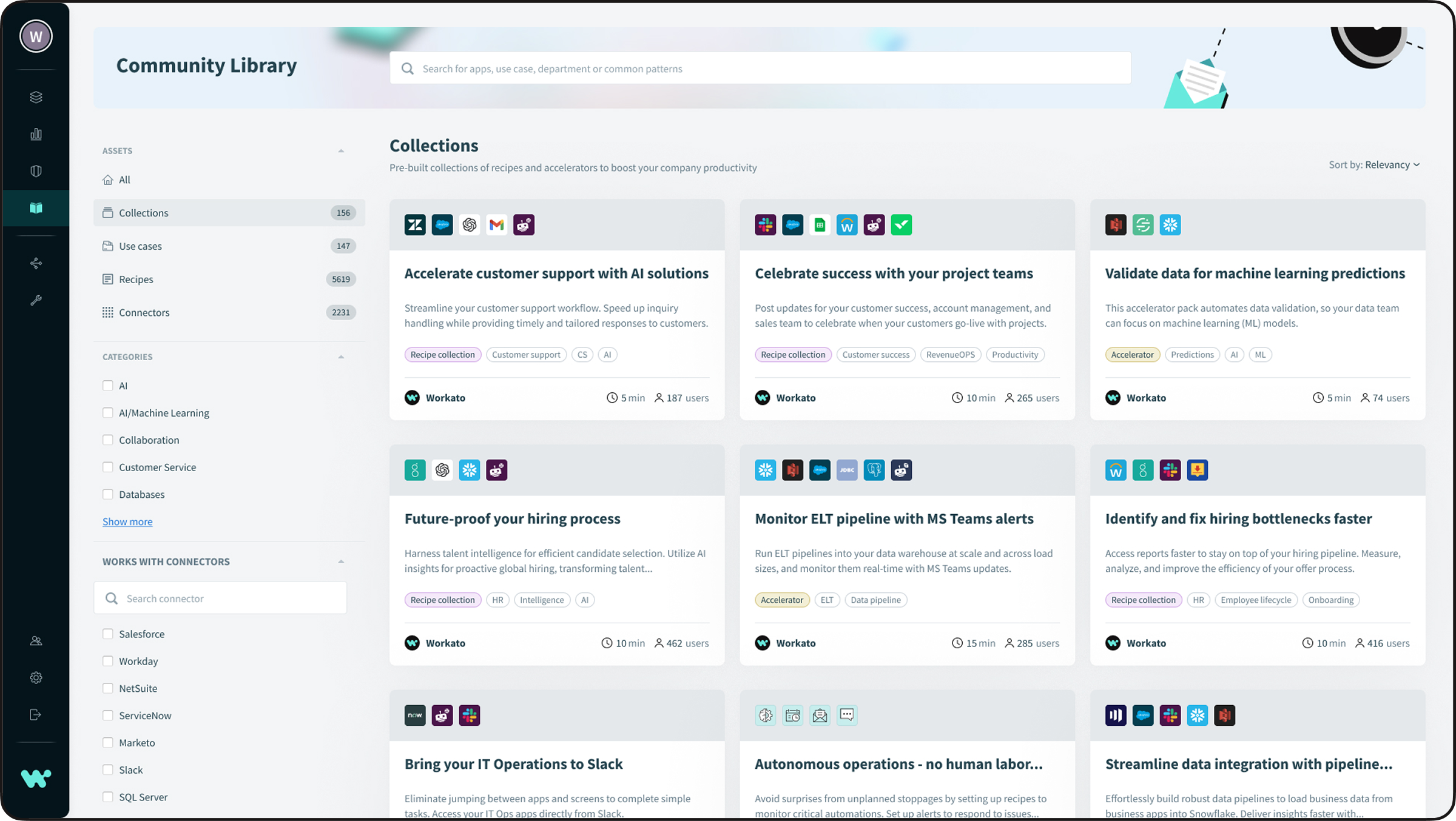
Each asset type has its own dedicated page with a built-in filter, allowing users to refine their exploration based on the connectors used in their organization.

Recipe details

Line 1

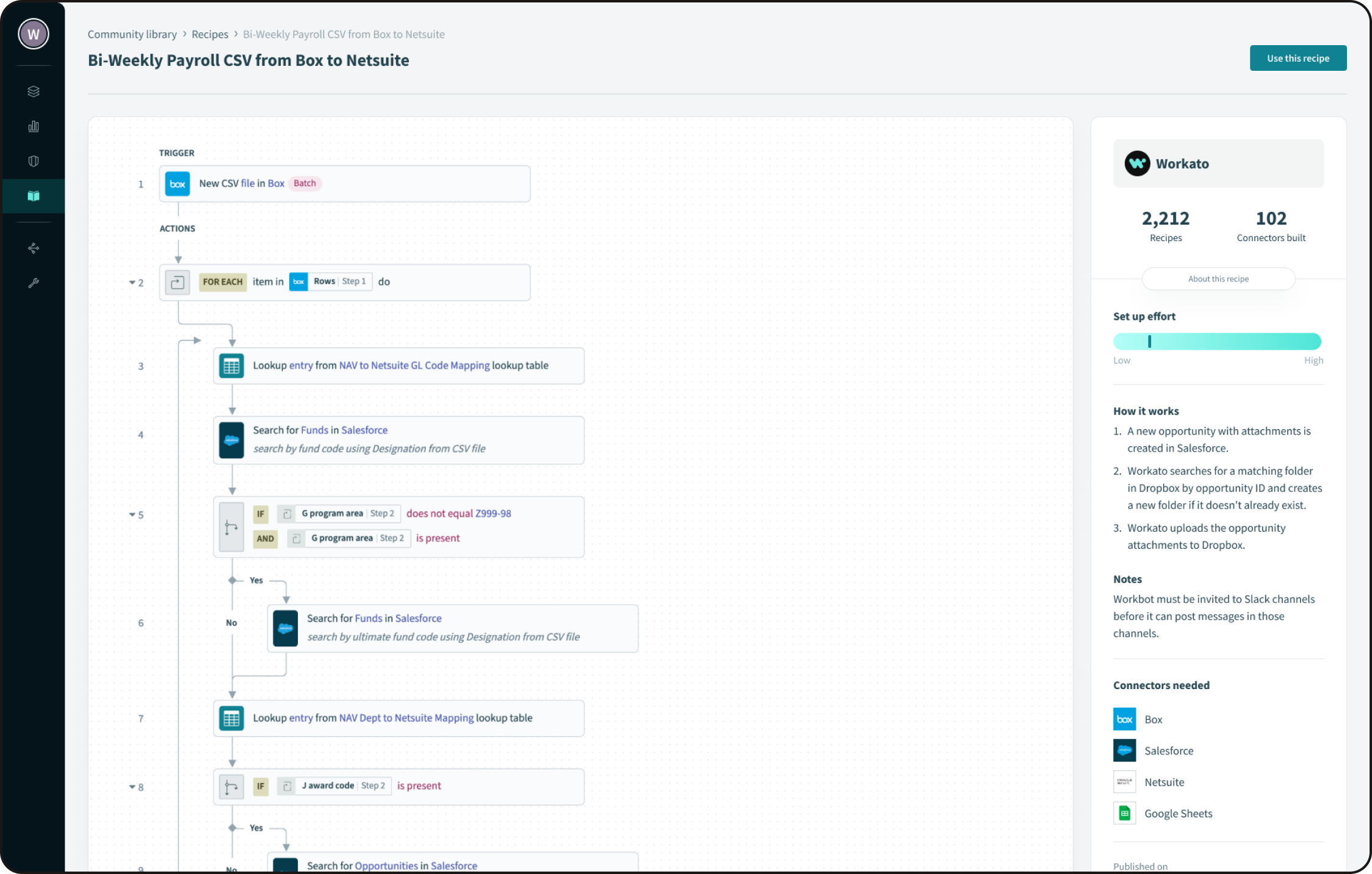
The Recipe page showcases how an automation is built, outlining the entire sequence of steps involved. It also includes a description of how the recipe works, its implementation complexity, and the connectors required.

recipe details

Connector details

Line 1

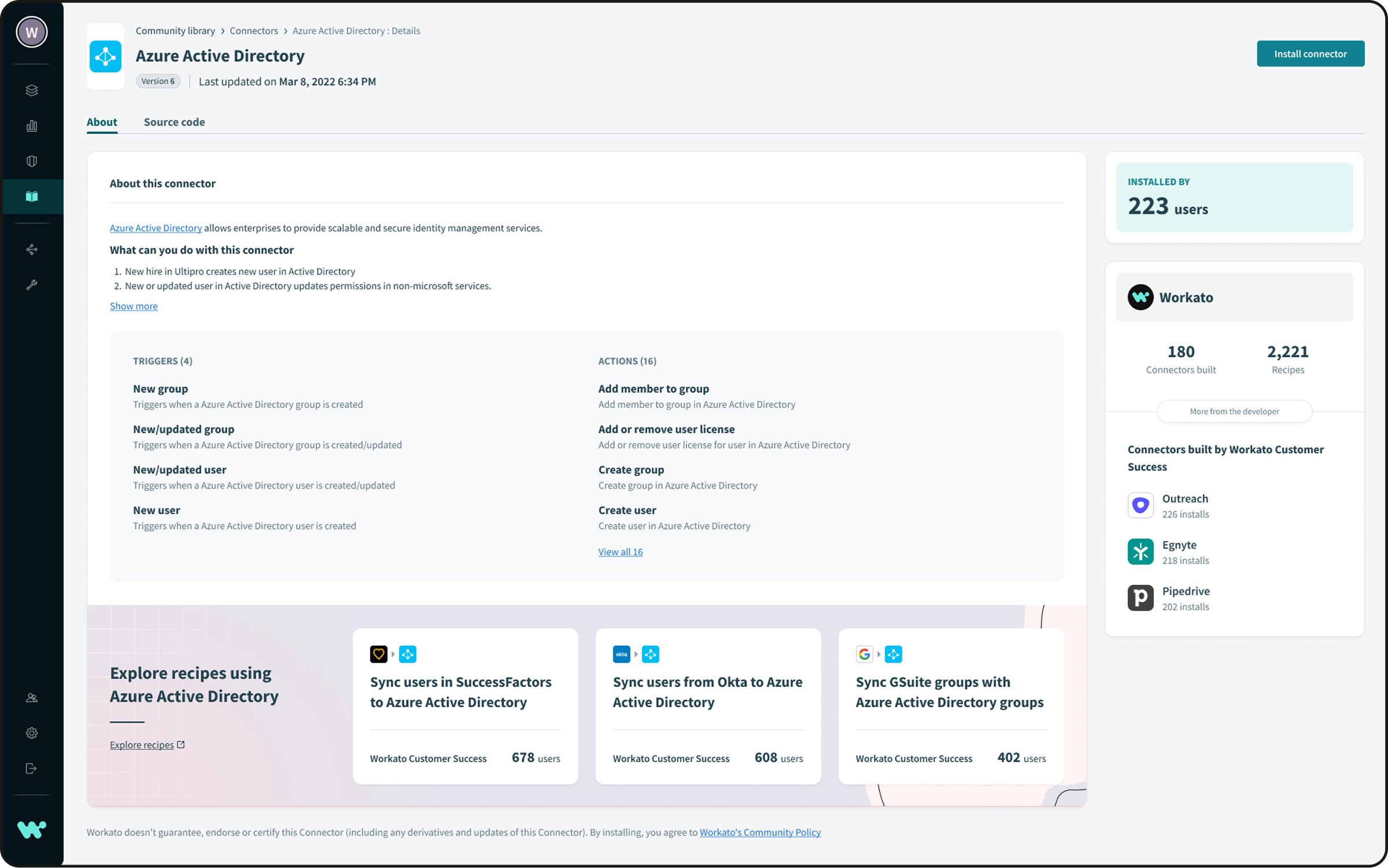
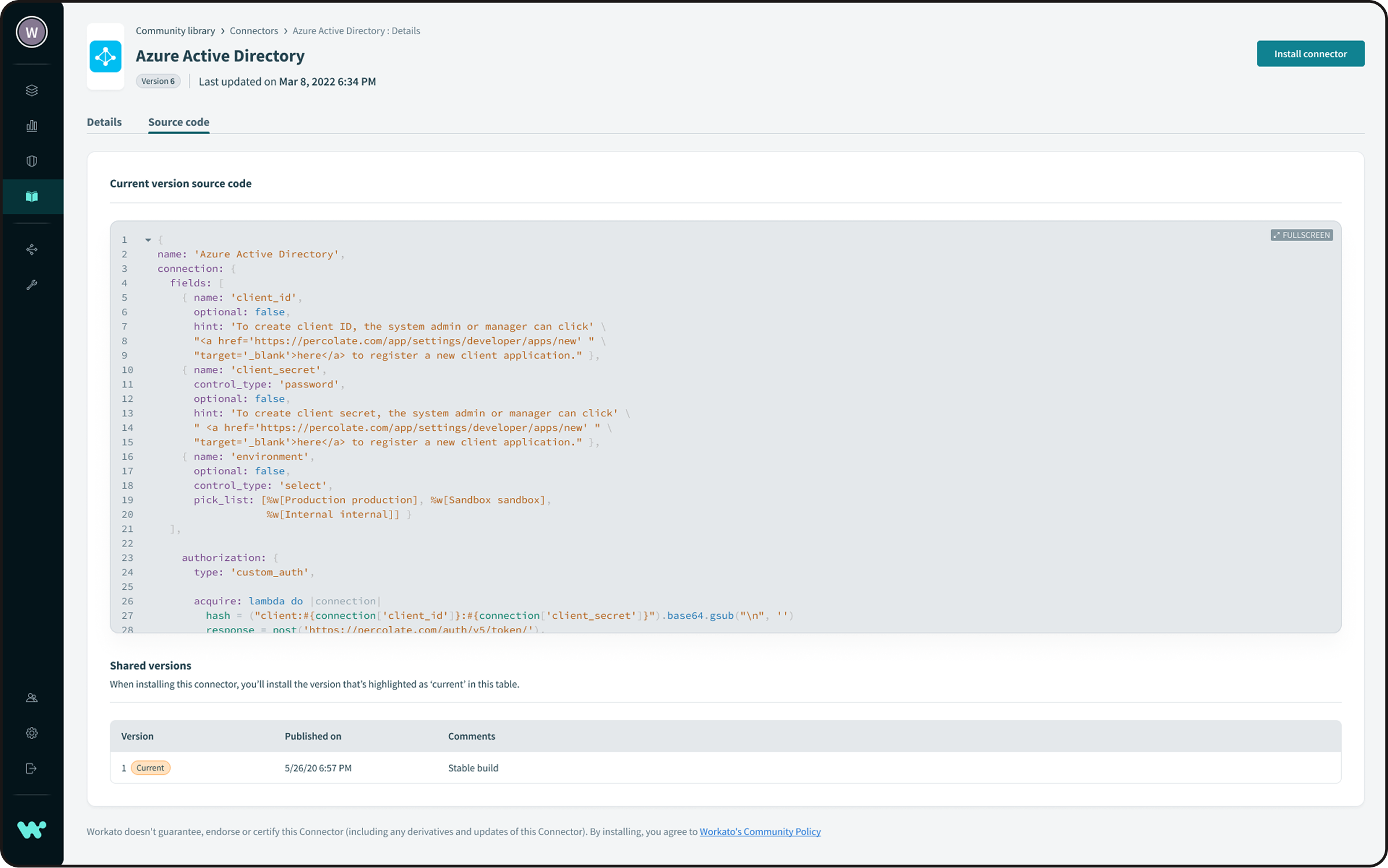
The Connector Details page provides comprehensive information about a connector, including its source code, version, and recommended recipes that utilize it.

Collection details

Line 1

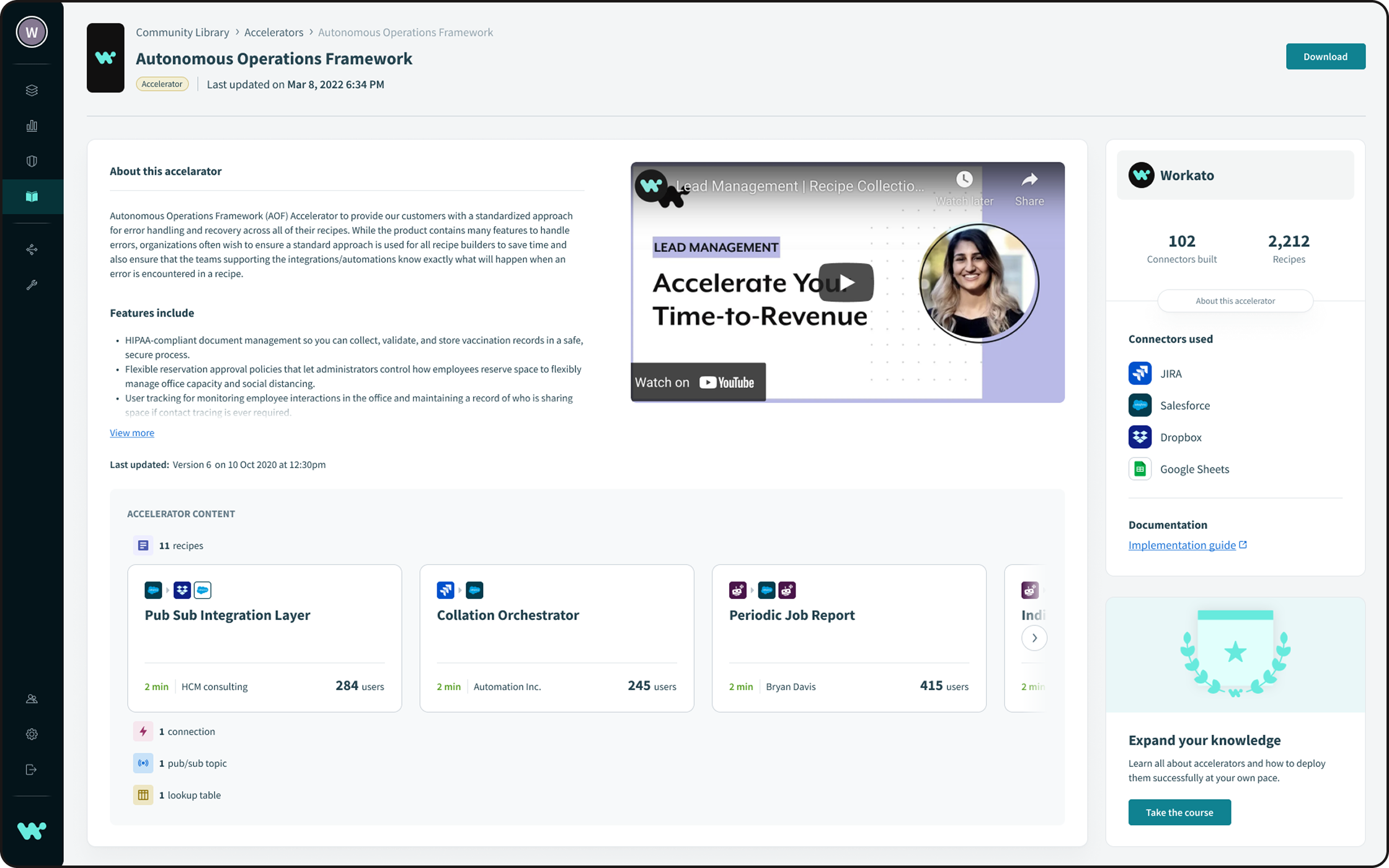
A Collection is a set of assets designed to work together to automate a specific business process. It may include recipes, connectors, lookup tables, and other essential components.

Accelerator_details_1920 1

Outcome & Learnings

Line 1

Outcome

By shifting the community library from an app-first to a solution-first experience, we removed early friction and enabled users to explore automation ideas more naturally. Users were able to discover relevant solutions faster, with reduced cognitive load and higher confidence before committing to a specific app. Both exploratory and experienced users completed tasks more efficiently and consistently preferred the redesigned flow.

What we learned

  • Users start with problems, not tools, especially in early discovery stages
  • Forcing decisions too early increases cognitive load and abandonment
  • Supporting multiple discovery modes (exploration and execution) is critical
  • App selection works best as a progressive decision, not a prerequisite
  • Aligning navigation with user mental models improves clarity and engagement

Project team

Line 1
Design director
Ivan Valiukh
UX/UI Designer
Bochuan Li
Project Manager
Grace Ng